Changelog

Track the evolution of Lumiere Graphics

Subscribe via RSS
New !

Animation Presets & New Effects

✨ New

  • Animation Presets: Apply ready-made animations to any element in one click β€” Fade In/Out, Slide In/Out, Scale In/Out, Twist In/Out, Pulse, Float, and Shake. Each preset has a small set of controls (delay, duration, easing, playback) and can be stacked freely on the same element without conflicts.
  • Chromatic Aberration Effect: A new post-processing effect that splits color channels to simulate lens distortion.
  • Dither Effect: Applies ordered dithering to any element or the full scene. Useful for stylized, retro, or low-color aesthetics.
  • Timeline Loop Region: You can now define a loop region directly on the timeline β€” drag to set in/out points and preview just that section on repeat.
  • Parametric & Conditional Defines: The runtime now supports defines with typed parameters and conditionals, which is what powers the presets system.

πŸ›  Improvements

  • Timeline overhaul: Drag interactions were rewritten from scratch β€” scrubbing, keyframe moving, and loop region dragging are all noticeably smoother. Easing curve handles are easier to grab and now show a cleaner preview.
  • Expression animations: Expression-based property values (e.g. looping or reactive values) are now properly driven by the animation clock, not just evaluated once at parse time.
  • Effects browser: Effects and presets now live in separate tabs in the inspector, making it easier to find what you're looking for.

πŸ› Fixes

  • Fixed keyframe commands not correctly tracking undo state in some drag scenarios.
  • Fixed the asset picker breaking when navigating between asset types quickly.

Strokes, Anchor Points, Border Radius & a New UI

πŸ‘‹πŸ˜πŸ§€

This week was super busy! I'm ready for the Private Alpha, Lumiere has now a very solid foundation. Subscribe if you're interested!

Next few weeks, the goal is presets and templates. Presets are meant to quickly animate existing objects or assets, while templates are meant to quickly bootstrap a scene from scratch. It has mulitple purposes, show what Lumiere is capable and battle test the editor and the renderer. This works because Lumiere is built like Lego; fully composable pieces that you assemble and customize freely!

The UI will also change a lot. I realized it's hard for non-motion designer to navigate or understand it, so templates and presets are the opportunity to make a beginner-friendly interface!

By the way, if you want to support Lumiere, I set up a Ko-Fi page.

See you next time!

Lumiere editor UI

✨ New

  • Stroke Support: Shapes now have a stroke (outline) with configurable width and color. Renderer was largely rewritten to support it properly, so it works correctly with every shape type.
  • Anchor Point: Each shape now has an anchor point that controls the pivot for rotation and scaling. Set it from the inspector or drag it directly in the canvas via the gizmo.
  • Border Radius: Per-corner border radius for rect shapes. A new dedicated input in the inspector lets you set all corners together or each one independently.
  • New Shape Tools: Ellipse and star shapes are now available directly from the toolbar. Drawing them works the same way as rect β€” click and drag on the canvas.
  • Dynamic .lumi Imports: A .lumi scene can now import blueprints from another .lumi file in your project and instantiate them directly. Useful for building shared component libraries across scenes.
  • Automatic Migration: When you open a project made with an older version of Lumiere, a migration dialog appears and updates the file format automatically before loading.

πŸ›  Improvements

  • Editor UI Redesign: New side panel system, flexible workspace layout, redesigned inspector and file system headers, and a new tooltip component across all controls. The layout is now more composable and handles edge cases better.
  • Gizmo & Selection: Improved gizmo interaction β€” more stable drag behavior, better origin overlay positioning, and more accurate bounding box calculation for all shape types.
  • Zoom & Viewport: Zoom handling was refactored to be more predictable when using trackpad gestures and keyboard shortcuts together.
  • Animation Engine: Significant internal cleanup of the animation loop for more consistent timing across frame rates.
  • Export: Several edge cases in the export pipeline were fixed, including issues with text rendering and SVG paths during frame capture.

πŸ› Fixes

  • Fixed a crash when duplicating a blueprint that had nested instances referencing each other.
  • Fixed stroke and fill rendering order being swapped on SVG shapes.
  • Fixed the inspector not refreshing after undoing a transform operation.
  • Fixed scene list not updating correctly after renaming a scene.
  • Fixed file system state getting out of sync when switching projects rapidly.

Glow Effect, Snapping, and File Management

✨ New

  • Glow effect: Beautiful glow with customizable parameters like threshold, intensity, radius, softness, saturation, and chromatic aberration.
  • Visual snap guides: See alignment lines when dragging objects. Separate grid and instance snapping with independent toggle controls.
  • Image asset picker: Select images directly for fills, strokes, and backgrounds. The editor detects image properties and shows thumbnails from your project assets.
  • Feedback form: Submit feedback from the editor with optional email for replies and scene file attachment.
  • Math expressions in number inputs: Type calculations directly into number fields. Enter "100 + 50", "5 * 3.14", or any math expression and get the result instantly.

πŸ›  Improvements

  • File management: Better dialogs for new projects and file opening with clearer error messages. Failed file loads won't replace your current work. Corrupted files prompt feedback submission with the file attached.
  • Snapping controls: Toggle grid snapping (position grid, rotation angles, scale) and instance snapping (alignment with edges/centers) separately in settings.
  • Inspector tabs: Replaced icon-only tabs with labeled buttons for better clarity.
  • Input styling: Standardized form input appearance across the editor for consistency.

πŸ› Fixes

  • Fixed enum property dropdowns incorrectly converting values between strings and numbers
  • Fixed timeline animation events not matching blueprint and instance IDs correctly
  • Fixed group positioning to use bounding box center instead of average position

New Effects & Batch Export

Hello hello ! πŸ‘‹

Last week, I released the changelog which allows you to track the development of Lumiere. This is also a great way to communicate with you for broader stuff like the vision and the roadmap.

For example, I can say that Lumiere will release this month its Private Alpha. The goal is to give access to selected people so they can battle test it and share feedbacks.

We can also talk about the recent announcements like Adobe Animate, which will stop updating in March. This is a shame and very sad to see, Lumiere is a direct legacy of Flash. Animate was the last bit we had.

While Lumiere right now is very different from Flash, the goal on the long run is to give at least the same amount of power than Animate did, but with a modern approach and way more flexibility. I've been eager for years to work on a frame-by-frame brush engine, so that's definitely something that will come to Lumiere!

✨ New

  • Pixelate Effect: Apply pixelation to layers with control over grid size and sampling. Useful for stylized retro looks or privacy masking.
  • Halftone Effect: Create print-style halftone patterns with customizable dot size, angle, and colors. Works great for vintage poster aesthetics.
  • Batch Export: Export multiple scenes in one go instead of rendering them one at a time. Set up all your exports and let them run.
  • Alpha Channel in Fills: Fill properties now support alpha transparency. Makes it easier to work with semi-transparent colors throughout the editor.

πŸ›  Improvements

  • Anti-Aliasing Options: Added FXAA, SMAA, and SSAA anti-aliasing strategies. You can now choose the quality/performance balance that works for your project.
  • Effects Performance: Rewrote parts of the effect rendering pipeline for better performance. Effects render faster and use GPU resources more efficiently.
  • Blueprint System Rewrite: Switched from instance-based to blueprint-based property handling. This fixes several duplication bugs and makes component instances more reliable.
  • Color Picker Improvements: Reworked the color picker with better alpha channel support and cleaner color value utilities.

πŸ› Fixes

  • Fixed properties not duplicating correctly when copying objects with component instances
  • Fixed nested blueprint animations not propagating changes correctly to instances
  • Fixed issues with reparenting objects that use blueprints
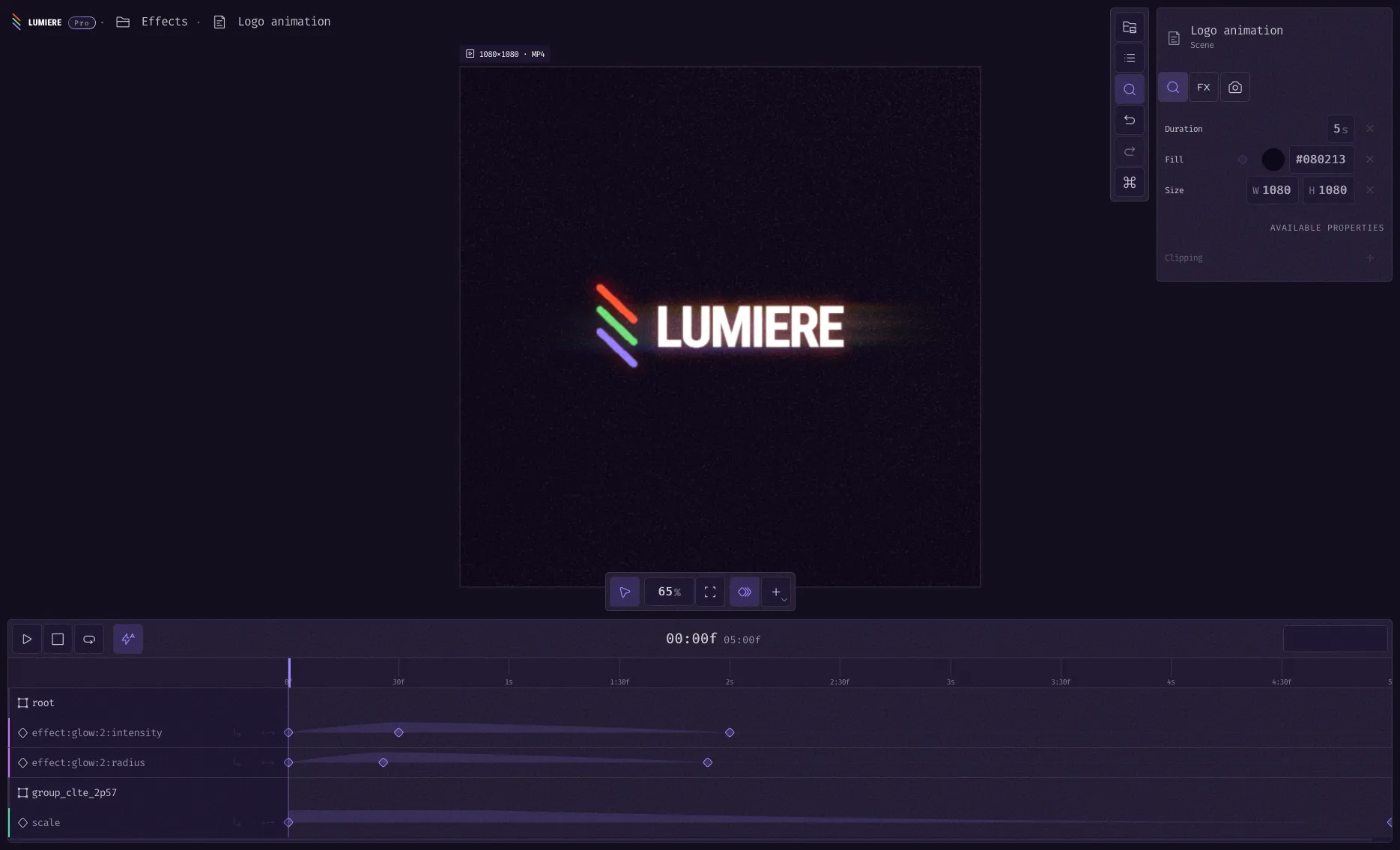
Clipping, Effects Browser & Performance

✨ New

  • Effects Browser: New panel to browse and add effects to layers without hunting through dropdowns. Add blur, color adjustments, and other effects in a few clicks.
  • Clipping Support: Layers can now clip their children, with proper stencil-based rendering for clean masking.

πŸ›  Improvements

  • Better Blur: Rewrote blur effect using dual Kawase algorithm for higher quality and faster rendering.
  • Render Performance: Added scissor test optimization for clipping, reducing unnecessary pixel processing.
  • Effects Pipeline: Effects now support separate render passes for more complex compositing.
  • Asset Picker Component: New reusable asset picker component in the design system for consistent file selection across the app.
  • Cleaner Landing Page: Simplified CSS reduces page weight and improves load times.

πŸ› Fixes

  • Fixed render order issues with effects and z-ordering
  • Fixed visibility handling for groups and their children
  • Fixed export rendering with proper frame overlay calculations
  • Fixed effect uniforms not duplicating correctly when copying layers
  • Fixed inspector layout issues in the effects panel

Smart Keyframes, Easing Curves & Text Tools

✨ New

  • Easing Picker: Visual easing curve editor directly in the timeline. Edit bezier curves, choose from presets, and copy/paste easings between keyframes.
  • Timeline Easing Curves: See easing curves drawn between keyframes on the timeline for better animation visualization.
  • Font Picker Component: Browse and select fonts with a proper picker interface instead of dropdown menus.
  • License Management: Added license activation system with Pro tier limits and feature gating.

πŸ›  Improvements

  • Smart Keyframing: Keyframes are automatically created when editing animated properties. Edit any frame and the animation updates intelligently.
  • Pixel Perfect Editing: Snap position, rotation, and scale values to whole pixels. Resize shapes precisely without sub-pixel jitter.
  • Timeline Snapping: Playhead and keyframes snap to frame boundaries based on your FPS setting for cleaner animations.
  • Dynamic Timeline Zoom: Timeline now zooms dynamically to show more detail when you need it.
  • Better Text Editing: Improved text overlay with better selection, editing flow, and property controls.

πŸ› Fixes

  • Fixed SVG import and rendering issues
  • Fixed back easing curve calculations
  • Fixed time formatting in timeline for better readability
  • Fixed number input precision issues when resizing shapes

Custom Sizes, Export Options & Color Tools

✨ New

  • Custom Scene Sizes: Create scenes with any dimensions you need, not just presets. Includes infinite canvas option for freeform work.
  • Color Picker: Full-featured color picker with RGB, HSL, HSB, and CMYK values. Visual palette and hex input for precise color selection.
  • Color Palette Component: Save and organize colors in palettes for consistent branding across projects.
  • Quick File Switcher: Jump between project files without clicking through menus.
  • Animation Blend Modes: Choose how animations combine when multiple animations affect the same property.

πŸ›  Improvements

  • Export Color Space: Renders now use linear color space internally and output proper sRGB. Better color accuracy in exports.
  • 16-bit Float Precision: Canvas rendering upgraded to 16-bit float for higher quality gradients and effects.
  • Inspector Keyframes: Add and edit keyframes directly in the inspector. See which properties are animated at a glance.
  • Custom Property Layouts: Inspector adapts layout based on property type for cleaner editing.
  • Effect Property Animation: Animate effect parameters like blur radius or color adjustment values.
  • Better Dropdown Alignment: Dropdowns position themselves smarter to stay on screen.

πŸ› Fixes

  • Fixed alpha premultiply issues in exports
  • Fixed linear filter rendering artifacts
  • Fixed deleting keyframes from timeline
  • Fixed text property layout spacing
  • Fixed background export settings overwriting project defaults

Parametric Defines & Runtime Improvements

✨ New

  • Parametric Defines: Runtime API for parametric definitions. Create dynamic shapes and effects with configurable parameters.
  • Expression System: New expression evaluation for property values, enabling calculated animations and relationships between properties.

πŸ›  Improvements

  • Color Normalization: Improved color handling across the rendering pipeline for consistent color representation.
  • Runtime Refactoring: Cleaner runtime architecture with better separation of concerns and improved performance.
  • Garbage Collection: Better memory management with optimized garbage collection for long-running animations.

πŸ› Fixes

  • Fixed parametric defines evaluation in complex scenarios
  • Fixed runtime animation timing issues